
Mitsubishi MR-JE Servo Alarm Codes Troubleshooting Guide
Table of Contents
The useful part of the MR-JE display is the detail number. AL. 32.1, for example, is more informative than AL. 32 alone. Record the complete code before resetting or switching off the amplifier.
This guide covers common alarms across the MR-JE-A, MR-JE-B, and MR-JE-C families. Not every alarm or reset method applies to every interface and firmware version, so use the Mitsubishi manual for your exact model as the final reference.
Safety Before Troubleshooting
Before inspecting wiring, switch off the power and wait at least 15 minutes for the charge lamp to turn off. Mitsubishi also requires the servo amplifier and motor to be securely grounded.
Before resetting an alarm, confirm that the run signal is off. Otherwise, the axis may restart unexpectedly. These precautions are stated in the official MR-JE-A Servo Amplifier Instruction Manual.
Do not repeatedly reset regenerative, overheat, or overload alarms. Mitsubishi instructs users to remove the cause and allow approximately 30 minutes for cooling after AL.30, AL.45, AL.46, AL.50, or AL.51.
Find the Right Servo Drive
Send us the model number or nameplate photo.
Kwoco can help you confirm compatible servo
drives, motors, cables, and replacement parts.
Quick Quote
How to Read an MR-JE Alarm Code
MR-JE amplifiers use a three-digit display to show more detailed alarm information. Depending on the model, you can view alarms through:
- The amplifier display
- MR Configurator2
- The controller
- Alarm history
- GOT alarm display functions
- Modbus RTU or network communication
An alarm may be cleared by alarm reset, controller CPU reset, or power cycling, but the available method depends on the alarm. Warnings normally clear automatically after their cause has been removed.
Always record:
- Full amplifier model
- Full motor model
- Alarm number and detail number
- Operating stage when it occurred
- Whether the alarm is repeatable
- Recent parameter, wiring, or mechanical changes
Common Mitsubishi MR-JE Alarm Codes
| Code | Official alarm name | First areas to check |
|---|---|---|
| AL.10 | Undervoltage | Supply voltage, connectors, contactor, power dip |
| AL.16 | Encoder initial communication error 1 | CN2, encoder cable, noise |
| AL.1E | Encoder initial communication error 2 | Encoder or motor |
| AL.1F | Encoder initial communication error 3 | Motor and encoder compatibility |
| AL.20 | Encoder normal communication error 1 | Intermittent cable fault, noise, connectors |
| AL.21 | Encoder normal communication error 2 | Encoder data or encoder hardware |
| AL.24 | Main circuit error | Ground fault in motor or power cable |
| AL.25 | Absolute position erased | Battery, encoder data, home position |
| AL.30 | Regenerative error | Regenerative resistor, PA02, deceleration |
| AL.31 | Overspeed | Command speed, electronic gear, overshoot |
| AL.32 | Overcurrent | U/V/W cable, motor insulation, amplifier |
| AL.33 | Overvoltage | Regeneration, supply voltage, deceleration |
| AL.35 | Command frequency error | Pulse frequency and command settings |
| AL.37 | Parameter error | Parameter range or invalid combination |
| AL.45 | Main circuit device overheat | Cabinet temperature, ventilation, spacing |
| AL.46 | Servo motor overheat | Load, duty cycle, brake, motor temperature |
| AL.47 | Cooling fan error | Obstruction or fan life |
| AL.50 | Overload 1 | Sustained load, brake, wiring, mechanical resistance |
| AL.51 | Overload 2 | Collision, stalled shaft, maximum current |
| AL.52 | Error excessive | Excess droop pulses, jam, insufficient torque |
| AL.8A | Communication timeout | USB, serial, or Modbus communication loss |
| AL.8E | Communication error | Receive, checksum, frame, CRC, or settings |
This is a practical selection, not the complete MR-JE alarm list. The official MELSERVO-JE Troubleshooting Manual SH-030166 includes model targets, detail numbers, stop methods, and permitted reset methods.
AL.10 Undervoltage
AL.10 means the input power voltage or DC bus voltage dropped, or the power wiring is incorrect.
The main details are:
AL.10.1: Voltage drop in the powerAL.10.2: Bus voltage drop
Check the incoming supply and the amplifier power connector first. Look for loose terminals, a worn contactor, undersized wiring, phase loss, or an upstream circuit with excessive voltage drop.
The official manual uses 160 V AC as a diagnostic threshold for AL.10.1 on the covered 200 V-class units. Confirm the correct specification for your exact amplifier before using any threshold.
If the alarm occurs only when another large machine starts, monitor the supply during that event. If it happens during acceleration, check whether the source and transformer have enough capacity.
Find the Right Servo Motor
Send us the model number or nameplate photo.
Kwoco can help you confirm compatible servo
motors, drives, cables, and replacement parts.
Quick Quote
AL.16, AL.1E, and AL.1F Encoder Errors at Startup
AL.16 indicates an initial communication error between the amplifier and encoder. Inspect the CN2 connection, encoder cable, motor-side connector, shielding, and cable routing.
If the alarm appeared after maintenance, check whether the encoder cable was connected to the correct axis.
AL.1E indicates an encoder malfunction. After eliminating cable and environmental causes, the motor encoder may require replacement, which normally means replacing or repairing the servo motor.
AL.1F means the connected encoder is incompatible with the amplifier. Check the complete motor and amplifier model numbers. A physically compatible connector does not prove that the motor is supported.
AL.20 and AL.21 Encoder Errors During Operation
AL.20 occurs after communication has already been established. This usually makes an intermittent connection, cable-flex failure, vibration, or electrical noise more likely than a basic configuration error.
Inspect the encoder cable where it enters connectors and where it bends inside a cable carrier. Keep encoder wiring separated from motor power, contactor, and brake cables.
AL.21 means the encoder detected a data, waveform, update, or hardware problem. If the code appears during oscillation or unusually high acceleration, stabilize the motion before condemning the encoder.
Use the detail number to distinguish a communication path problem from an encoder hardware fault.
AL.24 Main Circuit Error
AL.24 indicates that the amplifier detected a ground fault in the main circuit.
Check the motor power cable separately for insulation damage and shorting. Then inspect the motor according to Mitsubishi’s approved insulation-test procedure.
Do not apply an insulation tester directly to the amplifier output terminals. Disconnect the relevant equipment and follow the motor and amplifier manuals.
Common physical causes include crushed cable, coolant ingress, damaged connector pins, loose wire strands, and insulation worn through inside a moving cable carrier.
AL.25 Absolute Position Erased
AL.25 means the absolute position data is invalid. It can occur when the system is powered for the first time, after battery replacement, or when absolute position data has been lost.
After correcting the battery or wiring issue, set the home position again. Mitsubishi warns that restarting without restoring the reference position can cause unexpected machine movement.
Also inspect related warnings:
AL.92: Battery cable disconnection warningAL.9F: Battery warning
For applicable absolute systems, check the CN4 connection and battery voltage. The troubleshooting manual directs replacement when the measured battery voltage is below its specified threshold.
AL.30 Regenerative Error
AL.30 means the permissible regenerative power of the built-in resistor or external regenerative option was exceeded, or the regenerative transistor circuit is faulty.
Start with three checks:
- Confirm that the regenerative resistor is connected correctly.
- Confirm the resistor and amplifier combination is approved.
- Confirm
Pr. PA02matches the installed regenerative hardware.
If the alarm occurs during deceleration, increase the deceleration time and monitor the regenerative load ratio. High-inertia, vertical, and frequently cycling axes can return more energy than the resistor can safely dissipate.
Do not install a larger resistor without checking compatibility and parameter requirements.
AL.31 Overspeed
AL.31 occurs when motor speed exceeds the instantaneous permissible speed.
On MR-JE-A or MR-JE-C pulse-command applications, check command pulse frequency and electronic gear settings. On MR-JE-B systems, inspect the controller’s speed command and operation profile.
Other causes include:
- Excessive controller command
- Incorrect speed limit
- Too-short acceleration or deceleration
- Overshoot caused by unstable tuning
- Incorrect U/V/W wiring
- Encoder malfunction
If the problem started after changing the PLC or motion program, compare the actual command profile with the previous version.
Find the Right PLC Model
Send us the model number or nameplate photo.
Kwoco can help you confirm compatible PLCs,
CPUs, I/O modules, and replacement parts.
Quick Quote
AL.32 Overcurrent
AL.32 means current above the permissible level flowed through the amplifier. The detail number identifies whether it happened during operation or while stopped.
With qualified personnel and the system safely isolated, Mitsubishi’s troubleshooting sequence separates the amplifier, power cable, and motor:
- Disconnect U/V/W and check whether the alarm remains.
- Check the motor power cable for a short or ground fault.
- Check motor insulation using the approved procedure.
- Verify the encoder cable is connected to the correct motor.
- Inspect environmental conditions such as noise and temperature.
If the alarm remains with the motor power cable disconnected, the amplifier is a strong suspect. If it disappears, continue testing the cable and motor rather than replacing the drive immediately.
AL.33 Overvoltage
AL.33 means the DC bus exceeded the alarm level. The MR-JE troubleshooting manual identifies AL.33.1 as a main circuit voltage error.
If it occurs during deceleration, check:
- Regenerative option selection
Pr. PA02- Regenerative resistor wiring and resistance
- Deceleration time
- Load inertia
- Frequency of positioning cycles
Also measure the incoming supply. A supply that is already near the upper limit leaves less margin for regenerative energy.
AL.E0 Excessive regeneration warning is an early warning that regenerative power is approaching the permissible level. Investigating it early can prevent AL.30 or AL.33.
AL.37 Parameter Error
AL.37 means a parameter is outside its permitted range, conflicts with another parameter, or a point-table setting is invalid.
The principal details are:
AL.37.1: Parameter setting range errorAL.37.2: Parameter combination errorAL.37.3: Point table setting error
Check the parameter error number and compare the current file with a known machine backup. This alarm often appears after replacing a drive or loading parameters from a different model.
Mitsubishi notes that AL.37 is not stored in alarm history, so record it while it is displayed.
AL.45, AL.46, and AL.47 Temperature-Related Alarms
AL.45 means the inside of the amplifier overheated. Check cabinet temperature, mounting clearances, ventilation, dust buildup, and whether nearby components are heating the drive.
The official troubleshooting manual lists an ambient temperature above 55°C as one possible cause for the covered MR-JE models.
AL.46 means the servo motor overheated. Check effective load ratio, motor surface temperature, duty cycle, brake release, acceleration frequency, and mechanical resistance.
AL.47 indicates a cooling fan problem. Remove foreign material if the fan is obstructed. If the fan has reached the end of its service life, the amplifier may need replacement or authorized repair.
AL.50 Overload 1
AL.50 means the load exceeded the amplifier’s overload protection characteristic.
Before increasing motor capacity, check:
- Motor power cable continuity
- U/V/W phase connection
- Electromagnetic brake release
- Mechanical binding
- Effective and peak load ratios
- Acceleration and deceleration times
- Motor-amplifier combination
- Encoder feedback
A brake that remains applied can produce an overload even when the machine has no obvious mechanical jam.
AL.51 Overload 2
AL.51 is more severe. Mitsubishi defines it as maximum output current flowing continuously due to a machine collision or similar condition.
Stop and inspect the mechanics before resetting. Look for a hard stop, jammed slide, seized bearing, locked brake, damaged gearbox, or command that drives the axis past its travel.
If peak torque remains saturated during normal operation, reduce the load, revise the motion profile, or select a correctly sized motor and amplifier.
AL.52 Error Excessive
AL.52 means droop pulses exceeded the alarm level. The commanded position and actual feedback position separated farther than permitted.
Typical causes include:
- Mechanical jam
- Brake not released
- Insufficient torque
- Excessive acceleration
- Incorrect electronic gear
- Incorrect U/V/W connection
- Torque limit set to zero
- External force moving the axis during servo-off
Do not simply increase the error threshold. First determine why the axis cannot follow its command.
AL.8A and AL.8E Communication Alarms
AL.8A is a communication timeout. Depending on the MR-JE model and configuration, it may refer to USB, serial, or Modbus RTU communication.
Check timeout settings, cable continuity, controller state, station address, baud rate, and whether the controller stopped transmitting.
AL.8E indicates a communication receive, checksum, character, command, message-frame, or Modbus CRC error. Intermittent errors usually justify checking shielding, grounding, termination, cable routing, and communication settings before replacing hardware.
MR-JE-B systems may additionally report SSCNET receive alarms such as AL.34 and AL.36, while MR-JE-C systems can report network-related alarms. Diagnose these with the interface-specific manual.
A Reliable MR-JE Troubleshooting Sequence
Use the same sequence each time:
- Record the complete alarm and detail number.
- Save alarm history and MR Configurator2 data.
- Identify whether the fault occurred at power-up, servo-on, acceleration, steady speed, deceleration, or stop.
- Switch off power and follow the discharge waiting procedure.
- Inspect the circuit associated with the alarm.
- Check recent wiring, parameter, motor, controller, and mechanical changes.
- Correct the cause before resetting.
- Test at low speed with personnel clear of the machine.
- Monitor load ratio, bus voltage, speed, current, and feedback during the test.
This sequence prevents a wiring or mechanical problem from being mistaken for a failed amplifier.
Frequently Asked Questions
First remove the alarm cause and confirm that the run command is off. Depending on the code, an MR-JE alarm may be cleared through alarm reset, controller reset, MR Configurator2, or power cycling.
For AL.30, AL.50, and AL.51, do not reset repeatedly. Mitsubishi recommends correcting the cause and allowing approximately 30 minutes for the amplifier, motor, and regenerative equipment to cool.
AL.16 is an encoder initial communication error. It normally appears during power-up or initialization when communication cannot be established.
AL.20 occurs after normal encoder communication has started. It more often indicates an intermittent encoder cable, loose connector, electrical noise, vibration, or an encoder-side fault.
Record the detail number before disconnecting power because it identifies the specific receive, transmission, or process error.
AL.50 means the load exceeded the amplifier’s overload protection characteristic. Common causes include a locked electromagnetic brake, excessive mechanical resistance, incorrect U/V/W wiring, high duty cycle, or an undersized motor.
AL.51 means maximum output current continued flowing, often because of a collision, stalled mechanism, or severe torque saturation.
Check the effective and peak load ratios in MR Configurator2 before changing motor capacity.
AL.10 is an undervoltage alarm. Check the power connector, input voltage, contactor, terminal tightness, upstream protection, and supply capacity.
If it occurs when another machine starts, monitor the incoming voltage for a temporary dip. If it occurs during acceleration, check whether the transformer or supply is undersized.
Do not use the tough drive function to hide a persistent power problem. Correct the supply or wiring fault first.
Use the alarm detail number and isolate the system systematically. For encoder alarms, inspect or substitute the encoder cable before replacing the motor. For AL.32, Mitsubishi’s procedure separates the amplifier, U/V/W cable, and motor insulation to identify where the overcurrent originates.
MR Configurator2 can read alarm history and drive-recorder waveforms from before and after the fault, which helps distinguish a mechanical overload from wiring or hardware failure.
Power your projects with brand-new, original Omron, Mitsubishi, Schneider Servo – in stock, ready now!
When Should You Replace the MR-JE Amplifier?
Replacement is reasonable when the official isolation procedure points to the amplifier, an internal memory or board alarm remains repeatable, or there is visible heat, liquid, or surge damage.
Before ordering, record the complete suffix. MR-JE-A, MR-JE-B, and MR-JE-C amplifiers use different control interfaces and are not direct substitutes simply because their capacity numbers match.
Kwoco can assist with matching an MR-JE amplifier, compatible Mitsubishi servo motor, encoder cable, battery, and regenerative option. For accurate identification, provide the amplifier model, motor model, alarm detail number, parameter backup, and clear cabinet photographs.
Contact Us
Just fill out your name, email address, and a brief description of your inquiry in this form. We will contact you within 24 hours.
Product Category
Hot Sale Products
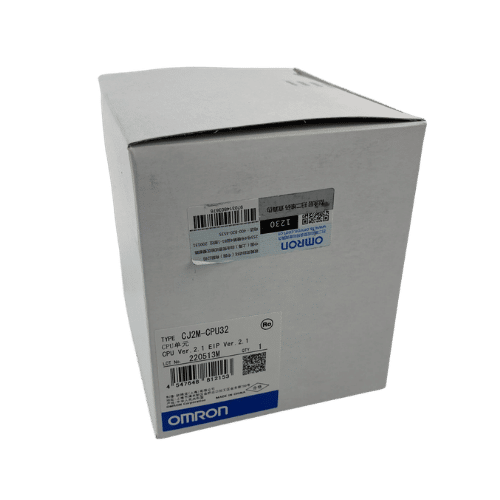
Omron CPU Unit CJ2M-CPU32
Omron PLC CJ1W-PA202 Supplier in China
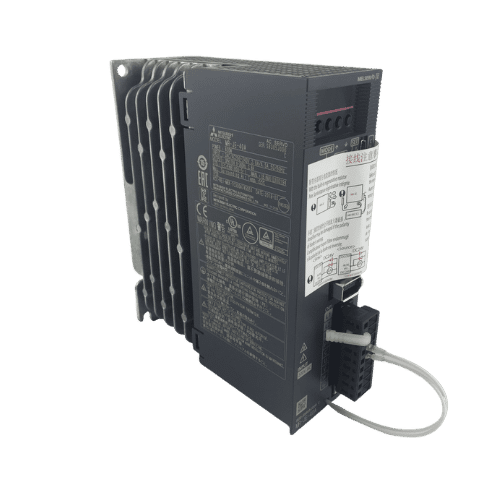
Mitsubishi MR-JE Series 400w Servo Drive MR-JE-40A
Need a Fast Match?
Share your model or spec and our team will help you find the right fit-fast.
- Expert support
- Quick response
- Competitive price
- +86-755-81481609
- [email protected]
You May Also Find These Topics Interesting

PLC Gateway Explained: Features, Applications, and Value Analysis
With the quick growth of the Industrial Internet of Things (IIoT), PLC gateways have actually become a necessary device for digital transformation
Top 10 Features of Omron PLCs That Make Them Industry Leaders
Programmable Logic Controllers (PLCs) are the backbone of modern industrial automation, and Omron has consistently been at the forefront of this technology.

What Is PLC and Why Does It Matter to Your Business?
What Is PLC and Why Does It Matter to Your Business? Feeling overwhelmed by the constant changes in industrial automation technology? You’re