
Mitsubishi FR-D700 Inverter Fault Codes Explained
Table of Contents
For example, E.OC1 means overcurrent during acceleration. The actual cause could be a short acceleration time, excessive load, incorrect motor settings, damaged motor wiring, or an internal inverter fault.
The right approach is to record when the fault occurred, inspect the related circuit, and correct the cause before resetting the inverter.
FR-D700 Models Covered
The standard Mitsubishi FREQROL FR-D700 family includes:
FR-D720: three-phase 200 V classFR-D740: three-phase 400 V classFR-D720S: single-phase 200 V inputFR-D710W: single-phase 100 V input
Capacity ranges and available functions vary by voltage class and regional specification. Always verify the complete model number on the nameplate before selecting replacement parts or applying parameters from another drive.
Single-phase input models still provide three-phase output for a suitable three-phase induction motor.
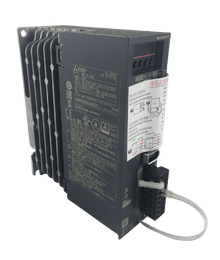
Find the Right Servo Drive
Send us the model number or nameplate photo.
Kwoco can help you confirm compatible servo
drives, motors, cables, and replacement parts.
Quick Quote
Warning, Alarm, and Fault: What Is the Difference?
Not every code on the FR-D700 display means the inverter has tripped.
| Category | Inverter behavior |
|---|---|
| Error message | Indicates an operating-panel or parameter-setting error; output is not shut off |
| Warning | The inverter continues operating, but the condition may develop into a fault |
| Alarm | Reports a maintenance or equipment condition; output is normally not shut off |
| Fault | Activates a protective function, shuts off inverter output, and operates the fault signal |
Codes beginning with E. are generally trip indications. Displays such as OL, oL, TH, and UV are warnings.
Mitsubishi explains these categories in the official FR-D700 Instruction Manual.
FR-D700 Warning and Alarm Codes
| Display | Meaning | What to check |
|---|---|---|
OL | Stall prevention due to overcurrent | Load, acceleration time, torque boost, stall-prevention setting |
oL | Stall prevention due to overvoltage | Deceleration time, load inertia, regenerative energy |
RB | Regenerative brake pre-alarm | Braking duty, stopping frequency, Pr. 30 and Pr. 70 |
TH | Electronic thermal relay pre-alarm | Motor current, load, operating speed, Pr. 9 |
PS | PU stop | STOP/RESET key was pressed during external operation |
MT | Maintenance timer output | Maintenance timer has reached its set value |
UV | Undervoltage | Incoming power, terminals, fuses, contactors, phase condition |
SA | Safety stop active | Safety inputs S1, S2, and SC |
FN | Cooling fan alarm | Fan obstruction, reduced speed, or fan failure |
Repeated warnings should not be ignored. Frequent OL, oL, or TH indications show that the application is operating near a protective limit.
Common Mitsubishi FR-D700 Fault Codes
The following table covers the most useful FR-D700 trip codes. It is not a complete substitute for the manual for your exact model.
| Fault code | Fault name | Typical cause | First corrective action |
|---|---|---|---|
E.OC1 | Overcurrent during acceleration | Fast acceleration, heavy load, output short, ground fault | Inspect the motor circuit and increase acceleration time if appropriate |
E.OC2 | Overcurrent at constant speed | Sudden load increase, mechanical jam, intermittent short | Check the machine load and motor current |
E.OC3 | Overcurrent during deceleration or stop | Output fault, abrupt speed change, brake conflict | Inspect output wiring and the stopping sequence |
E.OV1 | Regenerative overvoltage during acceleration | Regenerative load or unstable operating condition | Check load direction, supply voltage, and acceleration profile |
E.OV2 | Regenerative overvoltage at constant speed | Load driving the motor, unstable load, high supply voltage | Stabilize the load and measure incoming voltage |
E.OV3 | Regenerative overvoltage during deceleration | Short deceleration time, high inertia, frequent stops | Increase deceleration time or use approved braking equipment |
E.THT | Inverter overload trip | Excessive drive current or repeated heavy-duty operation | Reduce load and review drive sizing and ramp times |
E.THM | Motor overload trip | Motor thermal calculation reached its limit | Check motor current, load, cooling, Pr. 9, and Pr. 71 |
E.FIN | Heatsink overheat | Dirty heatsink, failed fan, high cabinet temperature | Clean the cooling path and verify airflow |
E.ILF | Input phase loss | Open input phase or severe voltage imbalance | Inspect incoming phases, fuses, terminals, and contactors |
E.OLT | Stall prevention stop | Excessive load reduced the output frequency | Remove the mechanical overload or obstruction |
E.BE | Brake transistor alarm | Brake-circuit or internal transistor fault | Switch off the inverter and inspect the braking circuit |
E.GF | Ground fault at start | Motor cable or winding fault to ground | Isolate and test the motor circuit |
E.LF | Output phase loss | Open U, V, or W phase | Inspect motor connections and output conductors |
E.OHT | External thermal relay operated | External motor thermal contact opened | Check motor temperature, load, and relay wiring |
E.PTC | PTC thermistor operated | Motor temperature exceeded the configured level | Allow cooling and investigate the thermal cause |
E.PE | Parameter storage device fault | Abnormality in the parameter-storage circuit | Arrange inspection if the code returns after reset |
E.PUE | PU disconnection | Loose PU cable or RS-485 communication timeout | Check the cable and communication settings |
E.RET | Retry count exceeded | Automatic restart repeatedly failed | Find the fault recorded before E.RET |
E.CPU | CPU fault | Internal circuit problem or severe electrical noise | Improve noise protection; replace or repair if persistent |
E.IOH | Inrush current limit circuit fault | Inrush resistor overheated after frequent power switching | Stop frequent input switching and inspect the drive |
E.AIE | Analog input fault | Terminal 4 switch and Pr. 267 do not match | Correct the switch, parameter, or input signal |
E.SAF | Safety circuit fault | Safety wiring mismatch or internal safety-circuit fault | Check S1, S2, SC, and the safety relay |
How to Diagnose E.OC1, E.OC2, and E.OC3
The three codes indicate overcurrent at different operating stages.
E.OC1: Overcurrent During Acceleration
Start with the motor circuit.
After safely isolating the power, inspect the U, V, and W cables for short circuits, ground faults, loose strands, insulation damage, and incorrect termination. Confirm that the motor and machine can rotate freely.
If the wiring and mechanics are sound, review:
Pr. 7 Acceleration timePr. 0 Torque boostPr. 3 Base frequencyPr. 9 Electronic thermal O/L relayPr. 14 Load pattern selectionPr. 22 Stall prevention operation level
A short acceleration time demands more current. Excessive torque boost can also produce high current at low frequency.
Mitsubishi advises disconnecting the motor and retesting if E.OC1 always appears immediately at startup. If the code remains with the motor safely disconnected, the inverter may be defective.
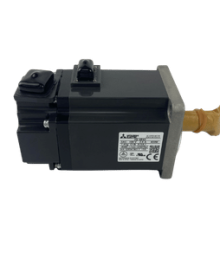
Find the Right Servo Motor
Send us the model number or nameplate photo.
Kwoco can help you confirm compatible servo
motors, drives, cables, and replacement parts.
Quick Quote
E.OC2: Overcurrent at Constant Speed
This code usually points toward a changing or excessive mechanical load.
Check for:
- A seized bearing or gearbox
- Material jammed in the machine
- An intermittent motor-cable short
- Rapid load fluctuations
- Incorrect motor or inverter sizing
- A mechanical brake applying during operation
Measure the output current under normal load and compare it with both the motor and inverter ratings.
E.OC3: Overcurrent During Deceleration
Do not confuse E.OC3 with E.OV3.
E.OC3 is an overcurrent trip. Inspect the output circuit and stopping sequence. A mechanical brake closing too early or an abrupt speed-command change can cause excessive current while stopping.
E.OV3 is caused by excessive regenerative voltage on the DC bus.
How to Fix E.OV3 During Deceleration
E.OV3 commonly occurs on high-inertia machines.
When a motor decelerates, the rotating load can drive it as a generator. The regenerated energy returns to the inverter’s DC bus. If the bus voltage rises beyond the protective threshold, the FR-D700 trips.
Begin by increasing Pr. 8 Deceleration time. The stopping time should match the machine’s actual inertia rather than simply providing the fastest possible stop.
Also check:
- Whether the load is driving the motor
- Whether stopping cycles are too frequent
- Whether the incoming voltage is already high
- Whether production changes have increased the load
- Whether the brake resistor or brake unit is correctly selected
- Whether regeneration avoidance settings suit the application
Mitsubishi lists regeneration avoidance, an approved brake resistor, a brake unit, or a power-regeneration converter as possible measures.
Never connect an arbitrary resistor directly across terminals P/+ and N/-.
E.THT vs. E.THM
These codes protect different parts of the drive system.
E.THT: Inverter Overload
E.THT protects the inverter’s output devices through an electronic thermal calculation.
Common contributors include:
- Repeated acceleration and deceleration
- Current remaining near or above the inverter rating
- Excessive torque boost
- High ambient temperature
- Poor cabinet ventilation
- An undersized inverter
Reduce the load and review the acceleration time, deceleration time, torque boost, ventilation, and drive rating.
E.THM: Motor Overload
E.THM represents the calculated thermal overload of the motor.
Check:
- Motor nameplate current
Pr. 9 Electronic thermal O/L relayPr. 71 Applied motor- Actual current under load
- Motor cooling at low speed
- Mechanical binding or excessive load
Resetting the inverter clears the electronic thermal accumulated value. Repeatedly resetting E.THM can therefore hide an unresolved overload condition.
Find the Right PLC Model
Send us the model number or nameplate photo.
Kwoco can help you confirm compatible PLCs,
CPUs, I/O modules, and replacement parts.
Quick Quote
How to Fix E.FIN Heatsink Overheat
E.FIN means the heatsink temperature reached the inverter’s protection level.
Check the cooling system before replacing the drive:
- Confirm that the cooling fan operates normally.
- Remove dust from the fan, heatsink, and cabinet filters.
- Measure the temperature around the inverter.
- Check that installation clearances are unobstructed.
- Look for hot air discharged by nearby equipment.
- Compare the output current with the inverter rating.
A fan may still rotate but no longer provide sufficient airflow. An earlier FN alarm is useful evidence of fan deterioration.
Input and Output Circuit Faults
E.ILF: Input Phase Loss
This protection applies to three-phase input models when phase-loss detection is enabled.
Measure all phase-to-phase input voltages. Inspect upstream fuses, breakers, contactors, terminals, and cables. A severely unbalanced supply may also trigger the code.
Do not disable the protection simply to keep the machine running. Prolonged operation with an input phase missing can shorten the life of the converter and DC-bus capacitors.
E.LF: Output Phase Loss
Check the U, V, and W connections between the inverter and motor.
Possible causes include a loose terminal, broken conductor, open motor winding, or motor capacity that is poorly matched to the inverter.
E.GF: Ground Fault at Start
Isolate the motor and output cable from the inverter before insulation testing them.
Do not apply a megohmmeter to the inverter’s control circuit. Follow Mitsubishi’s approved procedure when testing the motor and cable insulation.
Internal and Communication Faults
Codes such as E.PE, E.CPU, and E.IOH require more caution than a load-related trip.
For E.CPU, inspect grounding, cable segregation, contactor coils, solenoids, and other electrical-noise sources. If improved noise control does not resolve the fault, the control board may require replacement.
For E.IOH, determine whether the input power is being switched too frequently. The input contactor should not be used as the normal start-and-stop command. Use the inverter’s control inputs.
For E.PUE, inspect the PU or RS-485 cable. Confirm the baud rate, station number, data format, retry count, and communication-check interval.
How to Read the FR-D700 Fault History
The FR-D700 stores the eight most recent faults.
Press MODE until the display shows E---. Turn the setting dial to move through the stored codes.
When a fault is displayed, press SET to review:
- Output frequency at the time of the fault
- Output current
- Output voltage
- Energization time
The latest stored fault is identified by a dot. Mitsubishi confirms that the history can also be checked while the inverter is operating in its official fault-history FAQ.
Record these values before resetting. They can show whether the fault developed at low speed, under full load, or during regeneration.
How to Reset an FR-D700 Fault
Correct the cause before resetting the inverter.
The FR-D700 provides three reset methods:
- Press
STOP/RESETwhile the fault is displayed. - Switch off the supply, wait until the panel display turns off, and restore power.
- Turn on the
RESinput for more than 0.1 seconds, then release it.
Confirm that the start signal is off before resetting. If it remains active, the motor may restart immediately when the reset is released.
A reset also clears the electronic thermal accumulated value and retry count. It should not be used as a routine solution for an overloaded machine.
Electrical Safety Before Inspection
The inverter can retain dangerous DC voltage after the incoming supply has been disconnected.
Before wiring or inspection:
- Isolate and lock out the power supply.
- Confirm that the operation-panel display is off.
- Wait at least 10 minutes.
- Measure across terminals
P/+andN/-. - Confirm that the residual voltage is no more than 30 VDC.
These requirements come directly from Mitsubishi’s FR-D700 Instruction Manual.
When Should the FR-D700 Be Replaced?
Do not replace the inverter solely because it reported an overcurrent or overvoltage trip.
Replacement becomes reasonable when:
E.OC1remains with the motor circuit safely disconnectedE.CPUreturns after electrical-noise causes are addressedE.PErepeatedly indicates a storage-circuit failureE.IOHremains after frequent power switching is eliminatedE.BEindicates an internal brake-circuit failure- The inverter shows heat damage, capacitor deformation, or terminal damage
- The same fault remains after the supply, load, motor, cable, and parameters are verified
When requesting a replacement from Kwoco, provide the complete FR-D700 model number, input voltage, motor nameplate, braking components, parameter backup, cabinet photo, and fault history.
A drive with a similar power rating is not necessarily interchangeable if its voltage class, input phase, output current, dimensions, safety terminals, or regional specification differs.
Frequently Asked Questions
OL is a stall-prevention warning, while E.OC1 is an overcurrent fault that trips the inverter during acceleration. Repeated OL warnings should be investigated before they develop into a trip.
The load is returning excessive regenerative energy during deceleration. Increase Pr. 8, check the load inertia and incoming voltage, and select approved braking equipment if a faster stop is required.
No. Confirm that the start command is off before resetting because the motor may restart suddenly when the reset is released.
E.THT protects the inverter’s power devices from thermal overload. E.THM represents the calculated thermal overload of the motor.
Not without checking the application. FR Configurator2 supports parameter conversion between the two series, but voltage, current, dimensions, terminals, braking, safety wiring, communications, and parameter behavior must still be verified.
Power your projects with brand-new, original Omron, Mitsubishi, Schneider Servo – in stock, ready now!
Practical Troubleshooting Sequence
Use a consistent process instead of changing several parameters at once:
- Record the exact display before resetting.
- Note whether it occurred at startup, acceleration, constant speed, deceleration, or stop.
- Read the stored frequency, current, voltage, and energization time.
- Check the mechanical load.
- Inspect the incoming power and motor wiring.
- Compare measured current with the equipment ratings.
- Review only the parameters related to the fault.
- Correct the underlying cause.
- Confirm that the start signal is off.
- Reset the inverter and perform a controlled test.
Contact Us
Just fill out your name, email address, and a brief description of your inquiry in this form. We will contact you within 24 hours.
Product Category
Hot Sale Products
Omron CPU Unit CJ2M-CPU32
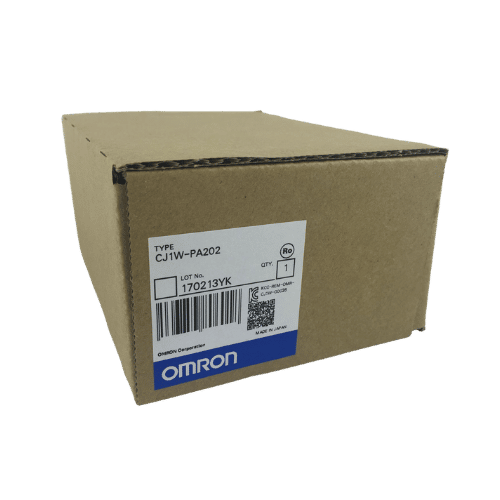
Omron PLC CJ1W-PA202 Supplier in China
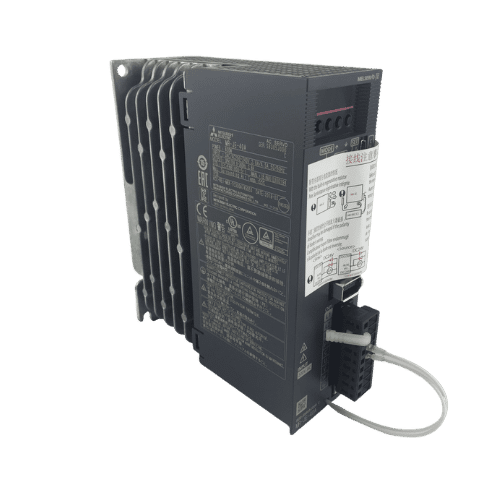
Mitsubishi MR-JE Series 400w Servo Drive MR-JE-40A
Need a Fast Match?
Share your model or spec and our team will help you find the right fit-fast.
- Expert support
- Quick response
- Competitive price
- +86-755-81481609
- [email protected]
You May Also Find These Topics Interesting
How Kwoco Supported a Japanese Listed Company During an Omron PLC Shortage
For manufacturers and engineering teams, a scarcity of key automation parts can promptly delay production, maintenance, or project delivery.
This was likewise the
Unraveling the Secrets of Miniature Circuit Breakers (MCBs)
This article delves into the fascinating world of Miniature Circuit Breakers (MCBs), explaining their crucial role in safeguarding electrical systems, exploring their
Mitsubishi FX5U PLC Error Codes and How to Fix Them
When a Mitsubishi FX5U PLC stops running or its ERR LED begins flashing, replacing the CPU should not be your first move.