
Mitsubishi Electric’s MR-J4 manuals are very clear on this point: before corrective work, remove power, wait at least 15 minutes for the charge lamp to turn off, and confirm the voltage between P+ and N- is safe. After an alarm occurs, remove the cause, confirm safety, then reset the alarm.
This guide covers the MR-J4 alarm codes technicians most often meet in the field, with practical checks you can do before replacing parts.
How to Read an MR-J4 Alarm
The MR-J4 front display shows the alarm number. In many cases, the amplifier also has a detail number, such as AL. 10.1 or AL. 50.1, which helps narrow down the cause.
You can check alarms from:
- The 5-digit display on the servo amplifier
- MR Configurator2
- Alarm history
- Communication data, depending on the system setup
If the same alarm repeats after reset, do not keep cycling power. Treat it as an active fault.
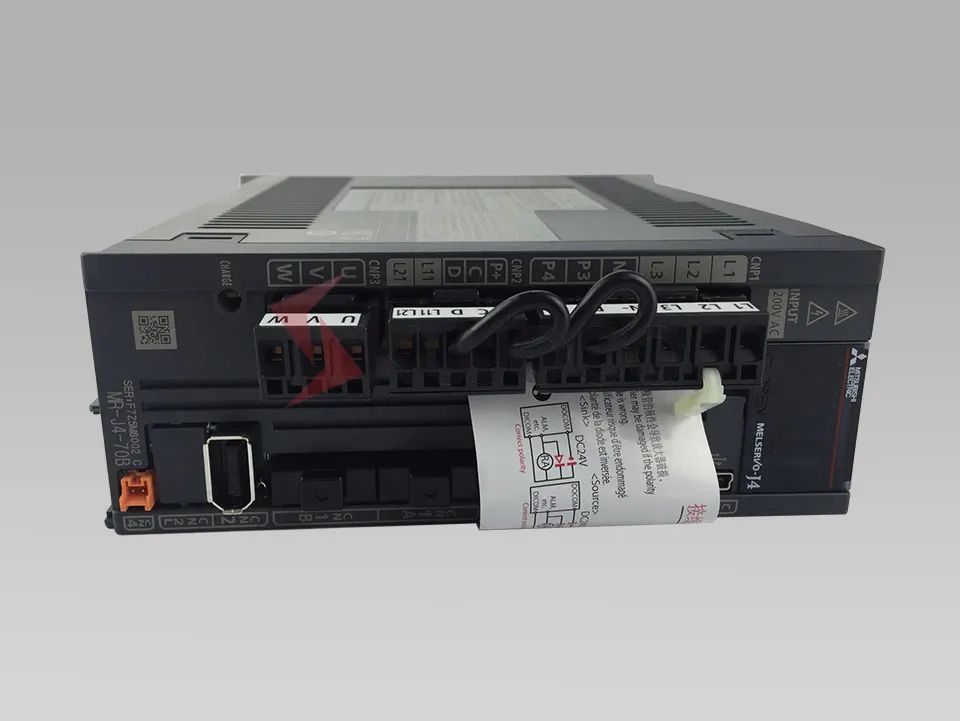
Quick Reference: Common Mitsubishi MR-J4 Alarm Codes
| Alarm code | Meaning | Common cause |
|---|---|---|
| AL.10 | Undervoltage | Power drop, weak supply, control circuit voltage drop |
| AL.16 | Encoder initial communication error 1 | Encoder cable, CN2 connection, wrong encoder setting |
| AL.20 | Encoder normal communication error 1 | Intermittent encoder cable fault or noise during operation |
| AL.25 | Absolute position erased | Battery issue or lost absolute position data |
| AL.30 | Regenerative error | Excess regenerative energy or wrong regen option |
| AL.31 | Overspeed | Excess speed command, wrong gear ratio, unstable tuning |
| AL.32 | Overcurrent | Motor wiring fault, short circuit, excessive acceleration/load |
| AL.33 | Overvoltage / main circuit voltage error | High supply voltage or regeneration during deceleration |
| AL.37 | Parameter error | Invalid or incompatible parameter setting |
| AL.42 | Servo control error | Excess deviation between command/model and feedback |
| AL.50 | Overload 1 | Continuous overload, mechanical binding, high torque demand |
| AL.51 | Overload 2 | Severe overload or high current condition |
| AL.52 | Error excessive | Position deviation too large |
| AL.92 | Battery cable disconnection warning | Battery cable disconnected or battery circuit issue |
| AL.9F | Battery warning | Low battery voltage |
The exact available alarms and detail numbers depend on the MR-J4 model, firmware, motor type, and control mode. Always cross-check the official Mitsubishi Electric manual for your amplifier.
AL.10 Undervoltage
AL.10 means the amplifier detected undervoltage. In practice, this is often caused by an unstable incoming power supply, a momentary power dip, a loose power terminal, or an issue on the control circuit power supply.
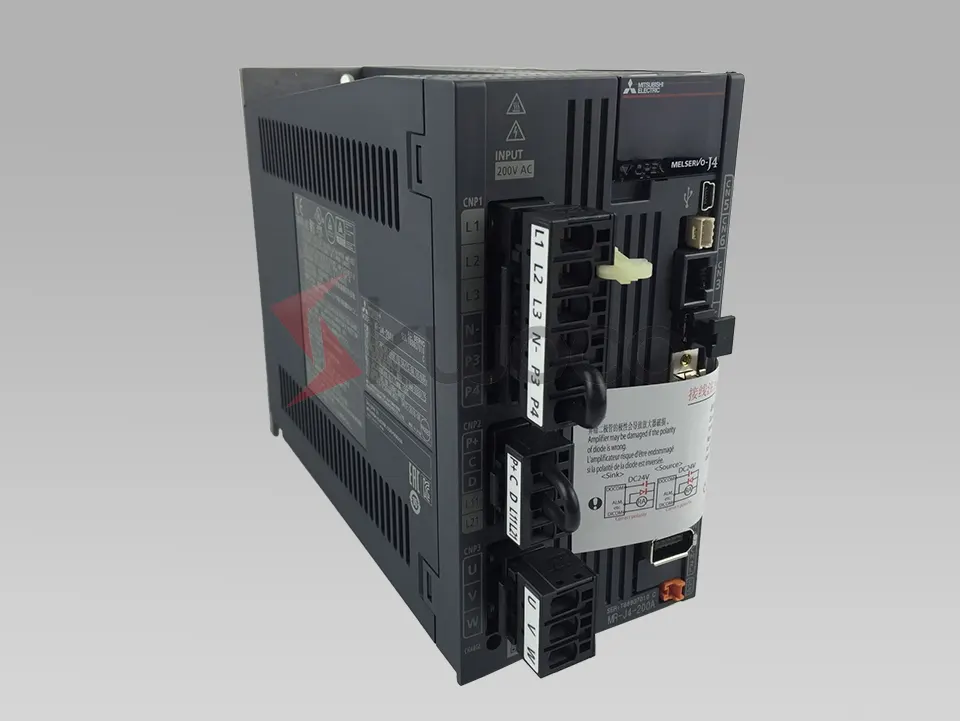
Check the main circuit power terminals first. For 200 V class units, confirm the supply matches the amplifier rating. Also check the control circuit supply at L11/L21 where applicable.
If the alarm appears during acceleration, the supply may be sagging under load. If it appears randomly, look for a weak contactor, poor terminal tightening, unstable plant power, or a power supply dip caused by another large load.
Mitsubishi also provides functions such as instantaneous power failure tough drive and SEMI-F47-related settings for certain cases, but these should not be used to hide a bad supply. Fix the power issue first.
AL.16 Encoder Initial Communication Error 1
AL.16 usually appears at power-up or servo-on when the amplifier cannot initialize communication with the encoder.
Start with the CN2 encoder connector. Power down safely, reseat the connector, and inspect the cable for bent pins, oil damage, crushed sections, or poor shielding.
Also check whether the encoder cable type and parameter settings match the motor and system. Mitsubishi notes that incorrect encoder cable communication method selection can trigger AL.16. This matters especially when changing between two-wire and four-wire encoder cable configurations.
If the machine has recently had a motor, amplifier, or cable replaced, do not assume the parts are interchangeable just because the connectors fit. MR-J4 systems are sensitive to motor series, encoder type, and parameter setup.
AL.20 Encoder Normal Communication Error 1
AL.20 is similar to AL.16, but it happens after communication had already been established. In the field, that usually points to an intermittent encoder cable fault, vibration at the connector, or electrical noise.
Check whether the alarm occurs only while the axis is moving. If yes, move the cable gently while monitoring the system, but keep clear of moving parts. Cable breaks often show up only at certain bend positions.
Separate encoder cables from motor power cables. Make sure shielding and grounding are done properly. If the encoder cable runs through a cable carrier, inspect the bending radius and look for repeated-flex damage.
AL.25 Absolute Position Erased
AL.25 means the absolute position data is no longer valid. The most common cause is a battery problem: disconnected battery cable, low battery, wrong replacement procedure, or a battery left disconnected too long.
Replace the battery with the correct Mitsubishi type, such as the MR-BAT6V1 series where specified. After that, you normally need to re-establish the machine reference position.
Do not simply clear the alarm and run production. If the absolute position has been erased, the axis position may not match the machine’s real mechanical position.
AL.30 Regenerative Error
AL.30 points to a regenerative circuit problem. This often appears on vertical axes, high-inertia loads, or machines with aggressive deceleration.
Typical causes include:
- Deceleration time too short
- Regenerative resistor overheating
- Wrong regenerative option parameter
- Incorrect resistor wiring
- Load inertia too high for the selected amplifier
- Frequent start-stop operation
Check the regenerative resistor and wiring. Confirm the regenerative option setting, especially parameter PA02, matches the actual hardware. If the alarm occurs during stopping, increase deceleration time and review the load inertia.
For applications with frequent braking, a larger amplifier or suitable regenerative option may be required.
AL.31 Overspeed
AL.31 means the motor speed exceeded the allowed range. This can come from an excessive speed command, wrong electronic gear setting, incorrect pulse command scaling, unstable gain tuning, or a mechanical load driving the motor.
Check command pulses and electronic gear settings first. If the alarm appeared after a parameter change, compare the current values with a known backup.
On vertical or overhauling loads, also check whether the load can pull the motor faster than expected. In that case, the mechanical design, brake timing, or regenerative capacity may need attention.
AL.32 Overcurrent
AL.32 is one of the alarms you should treat carefully. It may indicate a short circuit, ground fault, damaged motor cable, incorrect wiring at U/V/W, or a failed power module.
Start with the motor power wiring. Confirm U, V, and W are connected directly between the amplifier and motor. Mitsubishi specifically warns not to place a magnetic contactor or similar device between the servo amplifier output and the motor.
Check for loose strands, crushed cable, coolant ingress, and insulation breakdown. If the alarm occurs immediately at servo-on, suspect wiring, motor, or amplifier hardware. If it occurs only during acceleration, check load, acceleration time, torque limit, and mechanical binding.
AL.33 Overvoltage / Main Circuit Voltage Error
AL.33 often appears during deceleration, especially on high-inertia loads. The motor acts as a generator, and the DC bus voltage rises.
Check the incoming voltage first. If the supply is already high, the amplifier has less margin during regeneration.
Then check the regenerative resistor, regenerative option setting, and deceleration profile. A longer deceleration time often solves the issue, but if the duty cycle is high, the machine may need a proper regenerative option.
AL.37 Parameter Error
AL.37 means one or more parameters are invalid for the amplifier, control mode, option, or connected equipment.
This alarm often appears after:
- Replacing an amplifier
- Writing parameters from a different machine
- Changing motor type
- Changing control mode
- Setting an out-of-range value
- Selecting an incompatible regenerative option
Do not guess parameter values one by one. Compare against a saved parameter backup or the machine builder’s original file.
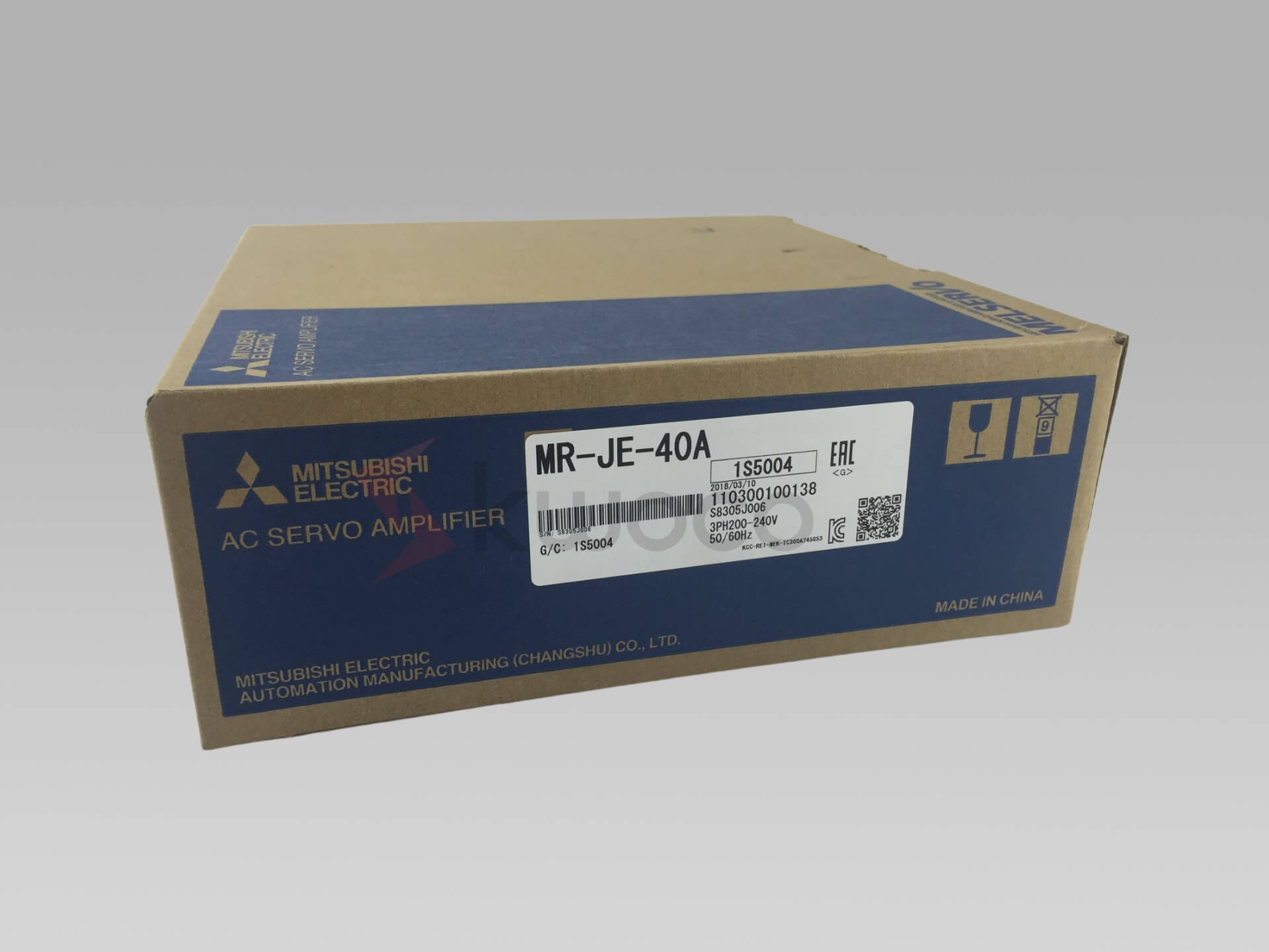
If you source a replacement MR-J4 amplifier from Kwoco, it is worth sharing the full model number and motor nameplate with us before shipment; matching the hardware is only half the job, and parameter compatibility matters just as much.
AL.42 Servo Control Error
AL.42 means the servo control deviation exceeded the allowed range. Depending on the control mode, this may relate to position deviation, speed deviation, torque/thrust deviation, fully closed loop feedback, linear servo feedback, or direct drive motor feedback.
Common causes include:
- Incorrect feedback polarity
- Wrong linear encoder or load-side encoder setting
- Mechanical slip or coupling issue
- Excessive load
- Poor tuning
- Command and feedback mismatch
- Machine jam
For fully closed loop systems, check the external encoder direction and resolution carefully. A motor encoder may look healthy while the load-side feedback tells a different story.
AL.50 and AL.51 Overload
AL.50 and AL.51 are overload alarms. AL.50 is commonly related to thermal overload during operation, while AL.51 usually indicates a heavier overload condition.
Do not assume the servo motor is too small immediately. First check the machine:
- Is the brake releasing?
- Is the axis binding?
- Is lubrication poor?
- Did the load increase?
- Was acceleration shortened recently?
- Has the gear reducer become stiff?
- Is the axis hitting a mechanical stop?
Use MR Configurator2 to monitor effective load ratio and peak load ratio. If the load ratio is high even when the machine feels normal, review sizing, duty cycle, and tuning.
For replacement or urgent repair cases, Kwoco can help identify compatible Mitsubishi MR-J4 amplifiers, HG series servo motors, encoder cables, batteries, and regenerative resistors. This is especially useful when the original part number is discontinued or the label is damaged.
AL.52 Error Excessive
AL.52 means the deviation between command and actual position became too large. In simple terms, the amplifier expected the axis to be somewhere, but feedback showed it was too far behind.
Look for mechanical blocking first. A jammed slide, locked brake, damaged coupling, or excessive friction can all trigger this alarm.
Then check command settings, electronic gear, pulse command wiring, and acceleration/deceleration. If the alarm appears after changing the controller program, the servo may be receiving a command profile that is too aggressive for the machine.
Battery Warnings: AL.92 and AL.9F
AL.92 is a battery cable disconnection warning, and AL.9F is a battery warning. These are not the same as a normal overload or voltage alarm, but they should not be ignored on absolute position systems.
If the battery fails and the position data is lost, the machine may require homing or position restoration. Replace the battery according to the Mitsubishi procedure and confirm the absolute position before restarting automatic operation.
A Practical MR-J4 Troubleshooting Sequence
Use this order when you arrive at a stopped machine:
- Record the alarm code and detail number.
- Check alarm history before resetting.
- Confirm whether the alarm occurred at power-up, servo-on, acceleration, constant speed, deceleration, or stop.
- Remove power and wait for the charge lamp to turn off before touching wiring.
- Inspect the related area: power supply, encoder, motor cable, regenerative circuit, parameters, or mechanics.
- Correct the cause.
- Reset the alarm only after the run command is off and the machine is safe.
- Test at low speed before returning to automatic operation.
This saves time because most MR-J4 alarms are not random. The timing of the alarm usually tells you where to look.

A Buying Guide for Mitsubishi PLCs
Are you feeling confused about choosing the right Mitsubishi PLC for your project? It’s normal to feel overwhelmed when faced with numerous models and specifications.
Mitsubishi FX5U PLC Error Codes and How to Fix Them
When a Mitsubishi FX5U PLC stops running or its ERR LED begins flashing, replacing the CPU should not be your first move.

5 Types of Encoders in Servo Motors You Need to Know
As an engineer with extensive experience in industrial automation, I have a deep understanding of servo motors and the encoders they use. Servo systems are widely applied in automation, with encoders serving as key components to control speed and position accurately.