
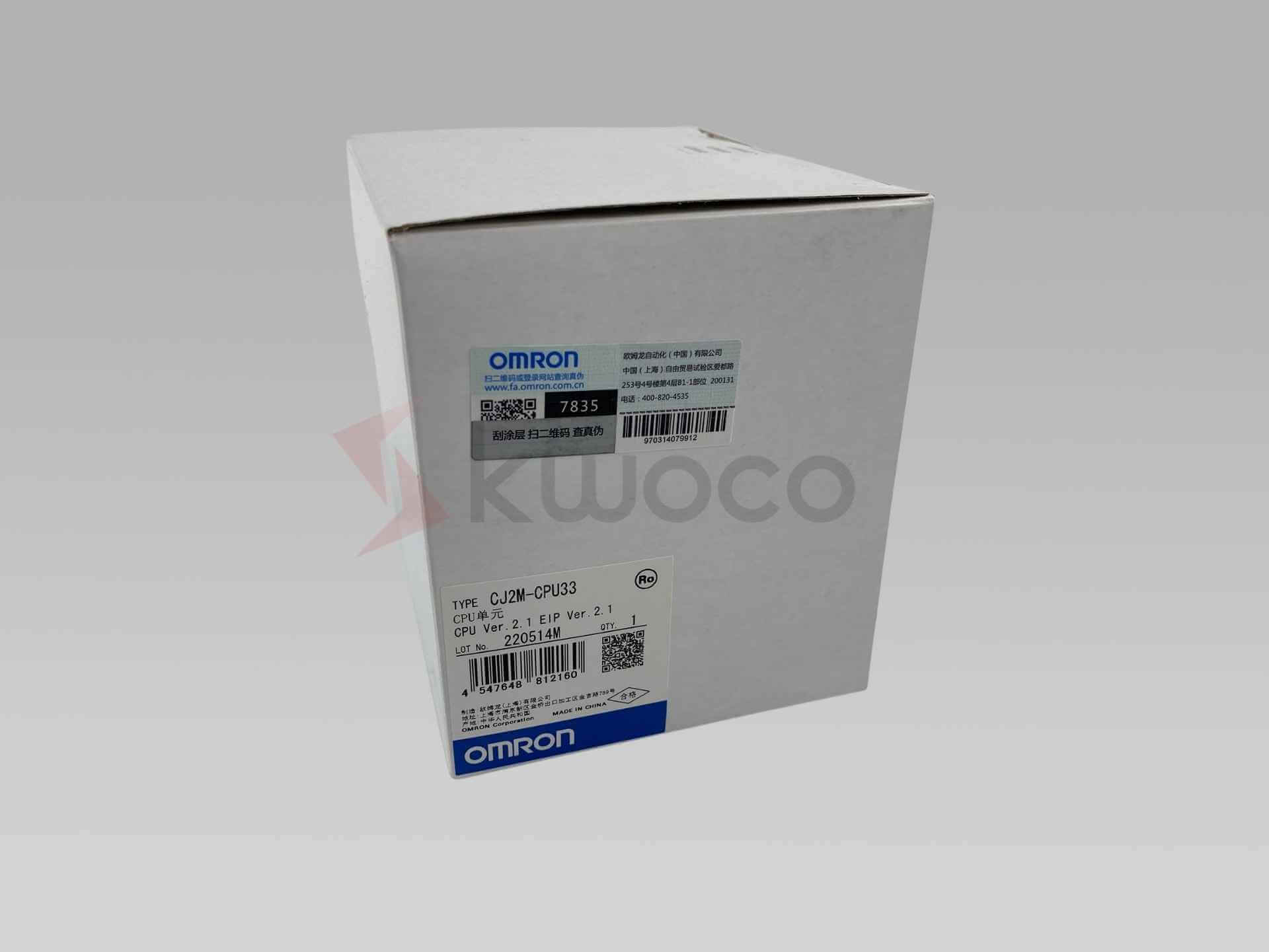
Include the full model, unit version, installed option board and any accessory requirements. Confirm the offered unit’s label and supply scope before ordering.
Omron CJ2M-CPU33 PLC CPU Unit
CJ-series CPU with 20K steps of program memory, 64K words of DM/EM memory and built-in EtherNet/IP. Supports up to 2,560 I/O points through connected units.
Request a quote by email
Usually quoted within 24 hours. Price and lead time confirmed by email.
We use your details to respond to this inquiry. Privacy policy ↗
CJ2M-CPU33 specifications
| Manufacturer / Model | Omron / CJ2M-CPU33 |
|---|---|
| Product Type | CJ-series modular PLC CPU unit |
| Program Capacity | 20K steps |
| Data Memory | 64K words: DM 32K + EM 32K × 1 bank |
| I/O Capacity | 2,560 points maximum via connected I/O units |
| Built-in Interfaces | EtherNet/IP and USB peripheral port (Type B) |
| Serial Interface | Optional serial communications board required |
| Basic Instruction Time | 0.04 μs minimum; not the total program scan time |
| Expansion | 3 expansion racks maximum; 10 units per rack, 40 per PLC maximum |
| CPU Current Consumption | 0.7 A at 5 VDC from the CJ-series power supply; add option-board load |
| Engineering Software | CX-Programmer; match CPU unit version and software support |
| Operating Temperature | 0 to 55°C |
| Condition | New original product |
| Warranty | 12-month warranty from KWOCO |
Select the CPU and supporting hardware
CJ2M-CPU33 combines a 20K-step CPU with built-in EtherNet/IP for a modular CJ-series installation. It can support machine sequencing and communication with other equipment, with the application determined by the program and selected I/O units.
Key features
- 20K-step program capacity: check the compiled application size before selecting this CPU.
- Separate DM and EM areas: 32K words each support application data requirements.
- Built-in EtherNet/IP: prepare network settings and tag-link configuration for the installation.
- USB programming port: provides a local engineering connection.
- Modular expansion: choose compatible I/O units and verify the rack power budget.
- Optional serial connection: select the board appropriate to the device interface.
Related CPUs
CJ2M-CPU31 and CPU32 provide 5K and 10K steps respectively, while CPU33 provides 20K steps. CPU34 and CPU35 provide 30K and 60K steps and more EM banks. A change of CPU still requires a review of the project, version and installed hardware.
Prepare a controlled CPU replacement
Record the CPU unit version and preserve a usable CX-Programmer project before removing the existing CPU. Capture the I/O table, PLC setup, required data values and network configuration as applicable to the machine.
Engineering checks
- Verify project support for the offered CPU unit version.
- Review program capacity and required memory areas.
- Check power supply capacity with all connected units.
- Record IP address, node settings and tag-link configuration.
- Confirm serial board and communication parameters.
- Validate I/O, interlocks and network communication during commissioning.
Manufacturer references: CJ2M-CPU33 product reference ↗ · CJ2M specifications and version requirements ↗ · CJ-series datasheet and option boards ↗
Frequently asked questions
What is the difference between CJ2M-CPU33 and CJ2M-CPU13?
Both have 20K steps of program memory. CPU33 includes EtherNet/IP and uses an optional board for serial communication; CPU13 has a built-in RS-232C port. Review the existing network, wiring and project before substituting one for the other.
Does CJ2M-CPU33 have 2,560 built-in I/O terminals?
No. This is the maximum supported I/O capacity of the configured PLC system. Select the required I/O modules, power supply and expansion hardware separately.
Can I connect an RS-232C or RS-485 device?
Yes, with an appropriate serial option board. Omron lists CP1W-CIF01 for RS-232C, CP1W-CIF11 for RS-422A/485 and CP1W-CIF12-V1 for isolated RS-422A/485. Confirm protocol, distance and supply scope before ordering.
Can I use pulse I/O modules with this CPU?
Omron supports up to two CJ2M pulse I/O modules on CPU units with unit version 2.0 or later. Check the version label and select the appropriate sinking or sourcing module for the application.
Will a replacement CPU run my machine immediately?
Do not assume a replacement contains your machine program. Preserve the project, I/O configuration, required memory data and network settings, then follow a controlled download and commissioning procedure. Check access passwords and machine-builder requirements before replacement.
Have Questions or Need a Quick Quote?
✓ New original products only
✓ 12-month warranty for all products
✓ Fast delivery to the USA, Europe and worldwide