
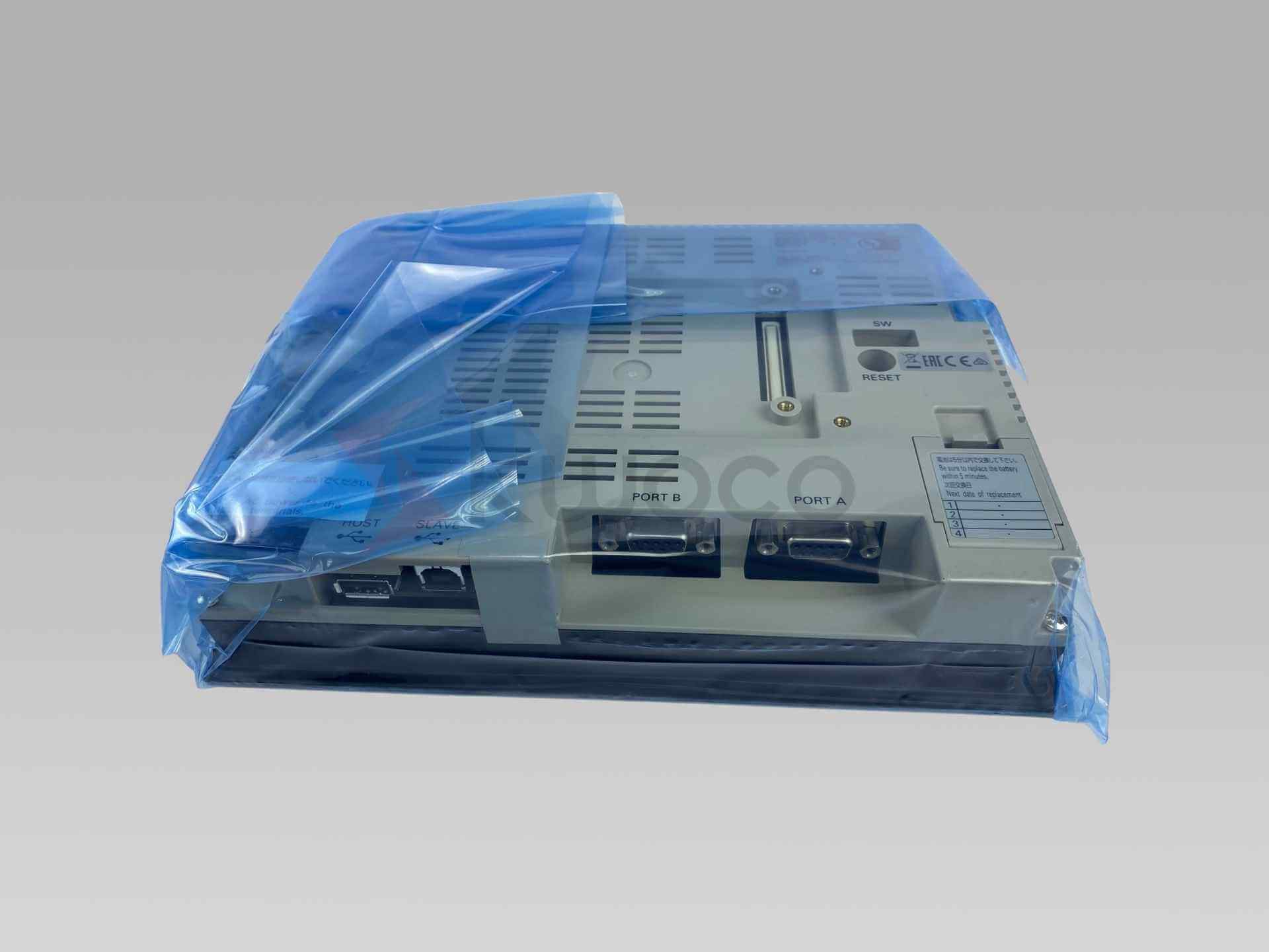
Include your existing terminal’s model, system version and required accessories. Confirm the offered unit’s label and connector configuration before purchase.
Omron NS8-TV00B-ECV2 HMI
8.4-inch colour touchscreen terminal with a black front panel and 24 VDC supply, for maintaining existing NS-series installations.
Request a quote by email
Usually quoted within 24 hours. Price and lead time confirmed by email.
We use your details to respond to this inquiry. Privacy policy ↗
NS8-TV00B-ECV2 specifications
| Manufacturer / Model | Omron / NS8-TV00B-ECV2 |
|---|---|
| Product Type | NS-series programmable terminal / HMI |
| Display | 8.4-inch colour TFT touchscreen |
| Resolution | 640 × 480 pixels (VGA) |
| Front Colour | Black |
| Power Supply | 24 VDC |
| Power Consumption | 25 W maximum |
| Panel Cutout | 220.5 × 165.5 mm (W × H), each +0.5 / −0 mm |
| Panel Thickness | 1.6–4.8 mm |
| Engineering Software | CX-Designer; check project and terminal system versions |
| Product Lifecycle | Discontinued by Omron; availability confirmed by quotation |
| Condition | New original product |
| Warranty | 12-month warranty from KWOCO |
Match the exact ECV2 variant. Interface options and revision-dependent features should be checked against the offered unit and applicable manual.
Plan the replacement before a machine stop
NS8-TV00B-ECV2 is an operator interface for an existing machine-control installation. A replacement decision needs both the correct hardware and a usable application project; purchasing another NS8 panel alone does not restore the machine screens or communication settings.
Check the existing installation
- Full model: retain the TV00B-ECV2 suffix in your purchase request.
- Connections: compare the rear ports and cable pinouts, not just connector shape.
- Mechanical fit: measure the opening and check cabinet clearance before ordering.
- Project version: record the target terminal and system version in the engineering project.
- Supply scope: list connectors, mounting hardware and cables separately.
Project preparation and commissioning
Before removing the existing HMI, retain the available CX-Designer project and record the PLC model, connection method and communication settings. Confirm access to any passwords or machine-builder files needed for a controlled replacement.
What to prepare
- Identify: compare the existing and offered terminal labels and versions.
- Back up: preserve the machine project and relevant settings before changing hardware.
- Check: review the applicable wiring, grounding and installation instructions.
- Transfer: use the supported software and method for the terminal’s system version.
- Validate: check screens, alarms, operator commands and PLC communication under the machine’s commissioning procedure.
The gallery includes front, rear and packaging views. The rear photos show ports labelled PORT A, PORT B, HOST and SLAVE. Verify the exact unit’s functions and accessory requirements rather than assuming every NS-series option is fitted.
Manufacturer references: NS discontinuation and migration notice ↗ · NS-series specification reference ↗ · CX-Designer introduction guide ↗
Frequently asked questions
Can I replace another NS8 terminal using only the screen size?
No. Match the complete part number, including ECV2, plus the available ports, system version, panel opening and existing project. A matching screen size alone does not establish compatibility.
Will the replacement arrive with my machine screens installed?
Do not assume that a replacement terminal contains your machine application. Arrange a valid project backup and check transfer requirements with the machine builder or maintenance team before replacing the existing HMI.
Which software should I prepare?
Omron identifies CX-Designer as the NS-series support tool. Check the project’s target model and system version against the offered terminal before transferring data. An NA-series migration uses a different engineering environment.
Is NA5-9W001B-V1 a direct plug-in replacement?
No. Omron lists it as a recommended migration target for NS8-TV00B-ECV2, but also identifies differences in mounting, wiring and operation. Plan the application conversion and mechanical/electrical changes before choosing it.
Are the connector and accessories shown in the photos guaranteed to be included?
Confirm the supply scope in the quotation. One supplied packaging photo is marked “NO CONNECTOR”; do not infer a complete accessory set from the gallery. List any required connector, mounting hardware or cable in your inquiry.
Have Questions or Need a Quick Quote?
✓ New original products only
✓ 12-month warranty for all products
✓ Fast delivery to the USA, Europe and worldwide