
 Portuguese
  English
  Italian
  Spanish
  German
  French
  Hungarian
  Indonesian
  Turkish
  Serbian
  Romanian
  Malay
Malay  Russian
 HMI vs PLC: Roles, Differences, and Buying Tips
Índice
In a typical PLC-based machine, the PLC determines how equipment responds, while the HMI provides the operator’s working interface. OMRON’s PLC introduction e programmable terminal guide explain these complementary roles.
For engineers, system integrators and buyers, the practical question is which control and operator functions the application needs—and which products can deliver them together. This guide covers ordinary industrial operator panels and CLPs, including panels with an integrated controller.
HMI vs PLC: The Main Differences
| Comparação | IHM | CLP |
|---|---|---|
| Main responsibility | Present operating information and accept operator input | Execute machine or process control logic |
| Typical tasks | Screens, status displays, operator commands and alarm presentation | Sequences, timers, counting and decisions based on inputs |
| Connection to the process | Usually exchanges data with a controller or other supported device | Uses local or remote input/output (I/O) and industrial communications |
| Engineering work | Design screens and connect objects to addresses or named variables | Develop the control program and configure hardware and I/O |
| Timing consideration | Communication and display updates affect what the operator sees | Task execution and I/O response affect equipment behaviour |
| Primary buying question | Can operators see and do what their work requires? | Can the controller perform the required control tasks and handle the signals? |
PLC timing involves more than processor speed: program execution, I/O updates and other processing contribute to response time. Different controllers also support different task arrangements. A responsive HMI screen therefore does not establish whether a control system meets a machine’s timing requirements. OMRON’s explanation of PLC cycle time and interrupt tasks describes these distinctions.
- Produto relacionado
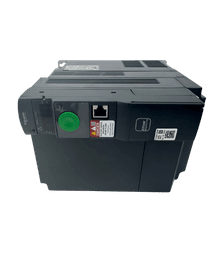
Precisa de uma unidade Altivar de substituição?
Explore as novas unidades Altivar originais para projetos de manutenção, resolução de problemas e substituição.
- Peças originais novas
- Resposta rápida
- Envio internacional
How an HMI and PLC Work Together
Consider an illustrative conveyor application with an adjustable speed setting:
- An operator enters a requested speed and presses Start on the IHM.
- The HMI sends the requested values to the PLC through the configured communication driver.
- The PLC program checks the operating mode, permitted range and process conditions before issuing the appropriate drive command.
- The HMI displays the resulting machine status and available feedback.
The requested speed and actual speed are different information. Actual speed requires a suitable feedback source; displaying the requested value with an “Actual Speed” label would not create one. Likewise, a Start button changing colour does not by itself prove the conveyor is running.
For this type of design, keep command requests, accepted settings and equipment feedback clearly distinguishable. The example illustrates the division of responsibilities; it is not a wiring diagram or commissioning procedure.
Emergency stopping requires its own safety design. Do not assume that a standard PLC or an on-screen Stop button constitutes a safety-rated system. For example, Pro-face’s LT-4201TM/4301TM hardware manual requires emergency-stop and safety circuits outside the unit’s operation and separate hardware for important switching operations. Apply the safety requirements for the actual machine and equipment. Pro-face hardware manual, p. 8.
- Soluções PLC
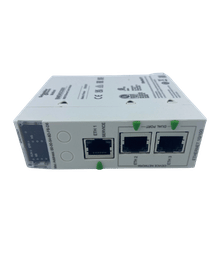
Encontre o PLC certo para o seu sistema
Explore novas CPUs PLC originais, módulos de E/S, fontes de alimentação e unidades de comunicação para projetos de manutenção e automação.
- Peças originais novas
- Resposta rápida
- Envio internacional
Do You Need a PLC, an HMI, or Both?
Choose the architecture from the work the system must perform:
- PLC with simple operator controls: A machine with a fixed sequence and few operator choices may use suitable physical controls and indicators without a dedicated graphical HMI. Include the necessary operating and diagnostic access in the design.
- Separate PLC and HMI: This arrangement suits applications that need automatic control plus accessible settings, operating information and diagnostics. It also lets you assess controller capacity and interface requirements separately.
- HMI connected to an existing controller: If a machine already has adequate control capability, improving operator access may require an HMI project and a supported connection. First confirm what data and commands the existing controller exposes.
- Integrated HMI and PLC: Some products combine visualization with an actual controller runtime. Check the control capability, I/O system and software requirements of the complete configuration.
For example, Weintek’s CODESYS solution combines supported HMI hardware with a SoftPLC environment and describes separate display and control operating systems. HMI scripting capability alone does not establish equivalent PLC capability. Verify the exact model, runtime and licensing requirements before selecting an integrated unit. Weintek CODESYS brochure, pp. 1–4.
As a purchasing tradeoff, integrated equipment can reduce the number of separate devices, while separate units can offer more freedom to change the display or controller independently. Compare the actual replacement procedure: an integrated unit may still have separable modules, and separate products still require compatible projects and communications.
- Substituição de IHM
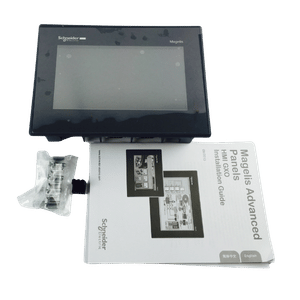
Atualize ou substitua sua IHM
Encontre painéis HMI compatíveis para modelos descontinuados, atualizações de máquinas e substituição da interface do operador.
- Peças originais novas
- Resposta rápida
- Envio internacional
Buying Tips: What to Confirm Before Ordering
1. Define the Control Requirements Before Choosing a PLC
Prepare an I/O list showing each signal’s function, electrical characteristics and required response. A total point count is only the starting point. Discrete inputs, analog measurements and fast pulse signals impose different requirements; output type and load characteristics also matter. OMRON’s PLC technical introduction distinguishes these signal categories.
Then document the required sequences, control loops, counting or motion functions, communications and planned expansion. Use the selected CPU and module manuals to establish whether the configuration supports them. Include engineering software and access to the existing program when assessing a replacement.
2. Select the HMI Around Operator Tasks and Its Installation
List the information operators need during startup, normal production, changeover and a fault. Decide whether the project needs trends, alarm history, recipe handling, multiple languages or user permissions, then verify those functions on the exact panel and software version.
Screen size alone is insufficient. Check usable resolution, readability at the installed position, touch operation under expected conditions, mounting cutout, installation depth and supply requirements. Compare the environmental ratings of both devices with their actual installation conditions. OMRON’s control-panel installation guidance identifies temperature, moisture, vibration and electrical noise as design considerations and directs users to individual equipment specifications.
3. Verify the Complete Communication Path
Two Ethernet ports do not establish compatibility. Identify the supported HMI driver, PLC interface, protocol configuration and data access method.
| Verificar | Information to confirm |
|---|---|
| Exact equipment | Full HMI and PLC model numbers, relevant communication modules and firmware |
| Physical connection | Ethernet or serial interface; for serial connections, the documented pinout and communication settings |
| Protocol and driver | The HMI driver explicitly covers the intended PLC family and connection method |
| Data mapping | Required addresses or tags, data types, read/write access and any driver limitations |
| Software support | Engineering software versions, supported project import methods and required options |
| Operating capacity | Available connections and acceptable update performance with the intended data load |
Weintek’s Mitsubishi FX5U – Binary Mode (Ethernet) connection guide, for example, specifies MC Protocol and binary communication settings, then documents device addresses and tag-import limitations. Those details are more useful than a general claim of “Mitsubishi compatibility.” They describe that driver and connection method; they should not be applied to every Mitsubishi PLC. Weintek connection guide, PDF pp. 1–4 and 9.
Using the same brand can simplify some engineering work, but still verify the combination. For a connection that is already failing, Kwoco’s PLC and HMI communication checklist provides a more detailed investigation path.
4. Secure the Projects and Restoration Requirements
Before purchasing a replacement, obtain the available PLC program, HMI source project, relevant settings, software versions and authorized access credentials. Establish which files can actually be opened, edited and transferred to the proposed hardware.
An uploaded runtime file is not automatically an editable source project. Weintek’s EasyBuilder Pro documentation, for example, describes separate controls that can prohibit decompilation or prevent project upload. A working panel therefore does not guarantee that its editable project can be recovered. EasyBuilder Pro V6.10.01, Chapter 30, sections 30.2–30.4.
If source files are unavailable, identify the reconstruction work before comparing replacement prices. Include a backup and restoration plan before making configuration changes.
5. Define What Happens When the HMI or Connection Fails
A PLC can execute a control program without a graphical interface, but the behaviour of a particular machine depends on its design. Loss of the HMI may remove operator commands, settings or visibility, and the program may deliberately respond to communication loss.
Specify the required response, essential controls and recovery conditions. Do not assume that a dark or unresponsive screen means the equipment has stopped. Mitsubishi Electric’s GOT2000 hardware manual warns about failure effects and requires important operations to remain possible through controls on another device when communication faults disable the GOT. GOT2000 hardware manual, Safety Precautions, pp. 1–2.
Have qualified personnel verify the implemented response under the machine’s approved validation procedure; disconnecting a live production interface is not a general-purpose test.
Perguntas frequentes
Yes, on products that support the required connections. OMRON’s programmable terminal guide describes access to multiple registered PLC hosts. Confirm the exact HMI’s device and driver limits, each PLC’s connection capacity and the required update performance; support for one PLC does not establish support for the entire proposed network. OMRON programmable terminal guide, “Direct Access Method”.
It depends on the product platform. Some environments integrate both engineering tasks; others use separate applications. For Weintek’s CODESYS solution, the manufacturer identifies CODESYS for control development and EasyBuilder Pro for HMI graphics. Confirm both toolchains and versions when requesting project files or pricing a migration. Weintek CODESYS brochure.
Potencialize seus projetos com servos Omron, Mitsubishi e Schneider originais e novos – em estoque, prontos agora!
Compare the Cost of a Working System
Ask for a quotation that identifies hardware, I/O and communication accessories, engineering software, runtime options and the work needed to restore or migrate the application. Also establish who will commission it, maintain backups and support future changes.
There is no useful universal rule that an HMI costs less than a PLC, or that an integrated unit is always cheaper. Compare configurations that meet the same requirements. A lower component price can come with additional project conversion, panel modification or validation work.
For a sourcing enquiry, contato Kwoco with the full PLC and HMI model numbers, communication method, required functions and whether project backups are available. For replacements, include the panel cutout and relevant module details so the enquiry addresses the complete configuration.
Contate-nos
Basta preencher seu nome, endereço de e-mail e uma breve descrição de sua consulta neste formulário. Entraremos em contato com você em até 24 horas.
Categoria do produto
Produtos em promoção

Unidade de CPU Omron CJ2M-CPU32

Fornecedor Omron PLC CJ1W-PA202 na China

Servo Drive Mitsubishi MR-JE Série 400w MR-JE-40A
Precisa de uma partida rápida?
Compartilhe seu modelo ou especificações e nossa equipe ajudará você a encontrar a opção ideal rapidamente.
- Suporte especializado
- Resposta rápida
- Preço competitivo
- +86-755-81481609
- [email protected]
Você também pode achar esses tópicos interessantes

Os seis principais fornecedores de PLC da Omron na Itália
Os seis principais fornecedores de PLCs da Omron na Itália. Como alguém profundamente envolvido no setor de automação industrial, particularmente no comércio internacional de automação, posso afirmar:
Erro de comunicação do HMI Omron NB: Cabo, porta e configurações do PLC
Um erro de comunicação em uma interface HMI Omron NB geralmente se resume a um dos quatro fatores a seguir: driver de PLC incorreto, porta COM incorreta,
Como os sistemas PLC e SCADA se comunicam com eficiência
Como as fábricas garantem que todos os equipamentos estejam sincronizados, que os dados fluam sem problemas e que a eficiência seja maximizada? É aí que entram os sistemas PLC e SCADA.