
Siemens calls these routines OBs. Rockwell Logix calls them tasks. Picture this. You read a good book. Then your phone rings. You mark the page. You answer the call. When you finish, you go right back to the book.
A PLC interrupt works a lot like that. The CPU does not truly “stop.” Instead, it pauses lower-priority logic, handles the urgent event, and then returns to where it left off. Still, the jump-in time depends on priority, trigger type, and CPU load. Fast reactions are real. They just are not magic.
What Is A PLC Interrupt Anyway?
Normal PLCs often follow a basic pattern: update outputs, read inputs into memory, then execute the user program with those stored values. That model works well for many machines. Still, some events happen too fast for the main scan alone.
That is why vendors give you hardware interrupt OBs, cyclic interrupt OBs, time-based OBs, and event tasks for special jobs. In Logix, the controller runs one task at a time, and a periodic or event task can interrupt lower-priority work and then return control to the earlier task.
Why Do We Need Them To Stop?
Think of a fast spinning saw blade. You want to catch a sensor edge at the right spot. You can’t afford to react late. If your main logic takes too long, the machine may move farther than you want before the normal task gets there.
Event-driven code helps because it runs when the trigger occurs instead of waiting for the next full pass through ordinary logic.
But here is the part that needs care. You do not always need a special “immediate output” trick to affect the real world quickly. On Siemens, the system can transfer the output process-image partitions assigned to an interrupt OB independently of UPDAT_PO.
On Logix, a task normally processes outputs when it finishes unless you disable that option. So don’t assume a normal output tag is always too slow and don’t assume one magic instruction fixes every case. First, check how your PLC updates I/O. Then choose the right method for that platform.
Different brands use different names. Siemens S7-1200 uses organization blocks such as hardware interrupt OBs and cyclic interrupt OBs. Logix uses continuous, periodic, and event tasks.
The goal is the same in both worlds: react at the right time without making the whole controller wait around. The details, though, are brand-specific.
How Do You Use A PLC Interrupt Function?
To be honest, it is pretty easy if you follow the rules. People often make it sound scarier than it is. You can keep it simple.
Pick the trigger. Tell the PLC what event should launch the fast routine. That trigger might be a digital input change, a motion event, an HSC event, a consumed tag, or a timed interrupt.
Write the fast code. Keep that code short and focused. If you pile on extra work, you raise latency and increase the risk of overlap or timeout trouble.
Clear the flag. In many cases, the system handles the event call itself. Still, you may need to reset your own application condition or re-arm the source event so the next event makes sense.
Also watch for overlap. In Logix, if an event task triggers again while it is still running, the controller ignores that overlapping trigger.
What Kinds Of Interrupts Exist?
Names change from one brand to the next. So don’t treat one vendor label as law for every PLC. Still, these three groups give you a solid working map.
| Interrupt Type | What It Does | Best Use Case |
|---|---|---|
| Hardware or event | Runs when a configured hardware or software event occurs and can interrupt lower-priority work | Fast sensor edges, registration marks, HSC events, or motion-related triggers |
| Periodic or cyclic | Runs on a fixed interval instead of waiting for the main scan | Regular control work that needs steady timing |
| Fault or diagnostic handling | Runs when the CPU or a module reports a time or diagnostic event | Catching scan overruns, queue overflows, or module diagnostics |
Let us compare the timing idea. The exact numbers always depend on the CPU, priority, trigger rate, and total program load. So use this as a mental map, not as a stone tablet.
| Metric | Main Scan Cycle | Hardware Interrupt / Event Task |
|---|---|---|
| Execution Timing | Runs as part of normal cyclic program execution, and the timing depends on your program load and configuration | Runs when its trigger occurs and can interrupt lower-priority work, but real latency still depends on priority and system load |
| Urgency | Good for normal machine logic and general sequencing | Better for time-sensitive events that should not wait for routine logic |
| Code Length | Can hold broader machine logic | Should stay short so it finishes before the next trigger and avoids overlap issues |
As you can see, the speed difference can be huge. Still, there is no magic response time that fits every PLC. The devil is in the details.
Are You Making These Bad Mistakes?
I see this one all the time. Don’t assume a standard IEC timer will behave in a one-shot interrupt the same way it behaves in OB1 or a normal cyclic task.
Siemens says the timer updates only when the timer instruction runs or when code reads key timer members. That means a hardware interrupt or event task that runs once per trigger often gives you poor or misleading timer behavior. A cyclic interrupt or a periodic task is different because it runs again and again.
Also, don’t write dead loops to “wait” for time to pass. That is like flooring the gas while the car sits in the garage. You waste execution time and invite trouble. Siemens notes that scan overruns, queue overflows, and interrupt timing conflicts can raise time errors. In some cases, repeated cycle-time faults can push the CPU to STOP.
Another huge mistake is calling too many interrupts. Not every little sensor edge deserves to jump the line. Rockwell warns that each extra task takes controller time from the others.
It also warns that if a task is triggered again while it is still running, the controller ignores that overlapping trigger. So use interrupts when you truly need them. Otherwise, your fast fix becomes a slow mess.
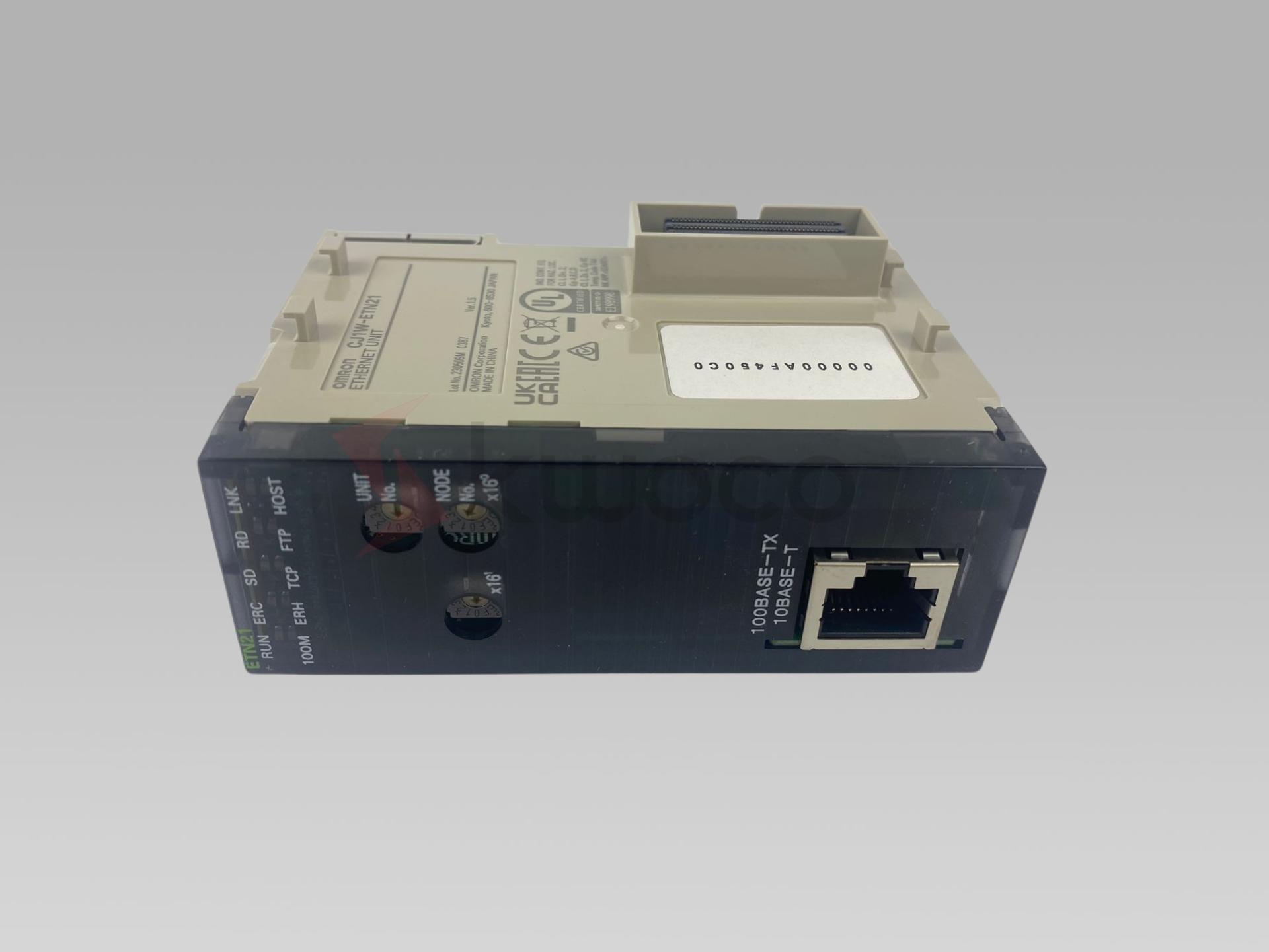

What is Ethernet? Why Do We Use Ethernet in PLC?
Ethernet has become the backbone of modern local area networks, offering a reliable and efficient means for devices to communicate. In the realm of industrial automation, Ethernet’s integration with Programmable Logic Controllers (PLCs) has revolutionized how industrial equipment communicates, enabling faster data exchange and improved control processes.
Proximity sensor vs Photoelectric sensor
This article delves into the fascinating realm of proximity sensors and photoelectric sensors, exploring their functionalities, differences, and applications. Whether you’re a seasoned engineer in a machinery and equipment factory or a solution provider seeking the best automation components, understanding these sensor types is crucial. As an industrial automation and control products manufacturing plant, we’re here to illuminate the intricacies of these vital components, ultimately guiding you toward informed decisions for your projects.

Top PLC Manufacturers: The Best Brands in Programmable Logic Controllers
Programmable Logic Controllers (PLCs) are the heart of modern industrial automation. They control machinery, processes, and factory assembly lines, making operations more efficient and reliable. This article dives into the world of PLC manufacturers, exploring the leading PLC brands that power industries worldwide. Whether you’re new to automation or looking to upgrade your systems, understanding the top players in the PLC market is essential.